Your Standards, Checked Automatically
Upload a contract and ClauseMinds checks it against your playbook—your standard positions on key terms. You get a severity-ranked list of where this paper deviates from your standards, not a dump of everything it noticed. Every finding quotes its source clause.
A severity-ranked list of deviations, with the evidence attached
Results appear in an “Against your playbook” panel on the contract page. Each deviation shows three things: the clause it found, your standard position, and why it deviates. Clauses are located semantically, so a match holds even when the wording differs from your rule. One click opens a proposed redline for the deviating clause.
- Each finding quotes the source clause it was matched to
- Your standard position sits next to what the paper says
- Semantic matching finds the clause even when wording differs
- Severity ranking puts the biggest gaps first
- One click opens a proposed redline for that clause
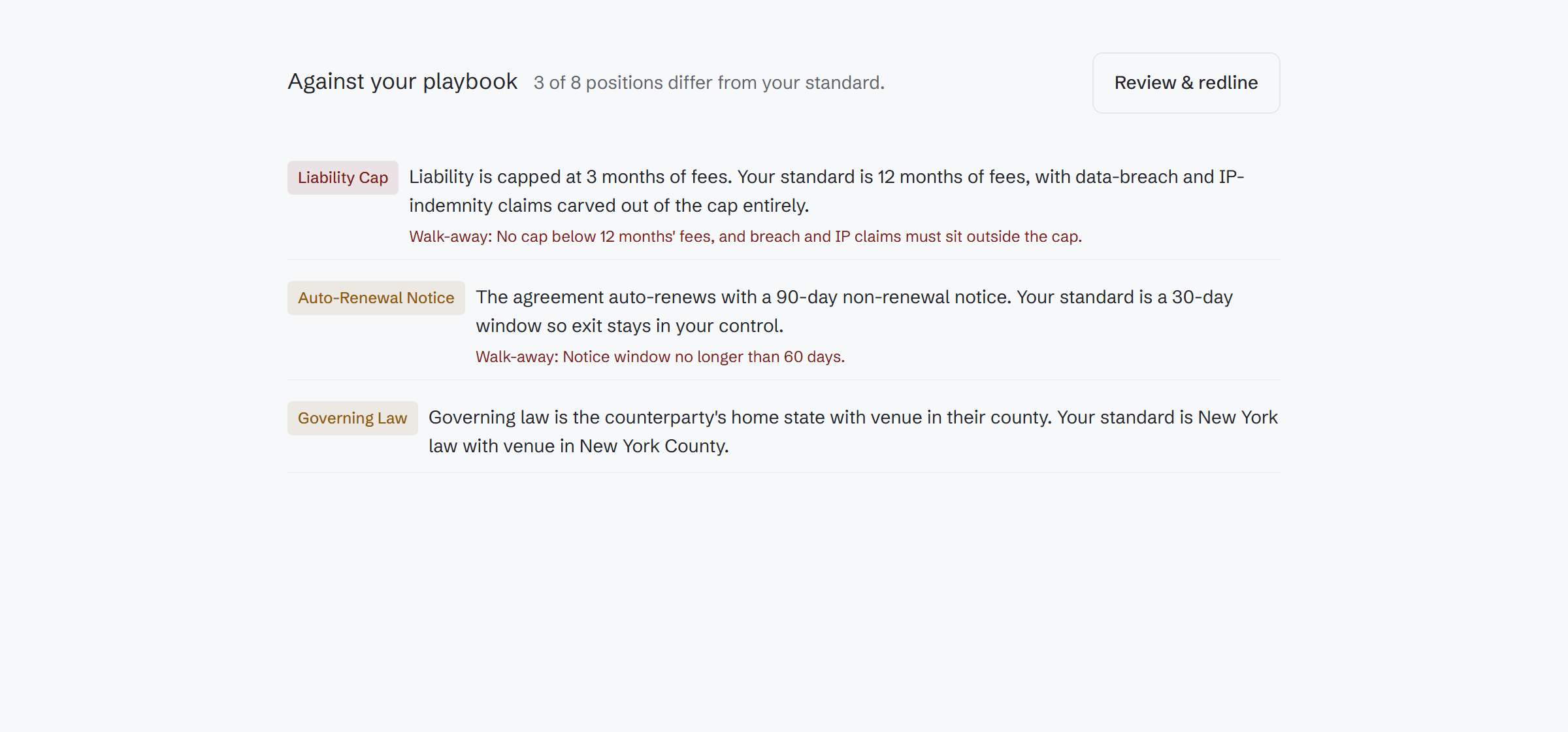
Deviation-first review, grounded in the document
The check compares the uploaded paper to the rules your team wrote. It reports only where the paper differs from your standards, and it shows its work on every finding.
Semantic clause location
The check finds the clause that matches a rule by meaning, not keyword. A payment-terms rule matches the payment clause even when the counterparty words it differently.
Severity-ranked results
Deviations are ranked by severity so the biggest gaps from your standards come first. You are not handed everything the system noticed—only where the paper differs.
One-click redline
From any deviation, one click opens a proposed redline for that clause, so the finding turns into an edit you can react to instead of a note you have to act on.
Quoted sources
Every finding quotes the source clause it was matched to. You can verify the check against the actual contract language before you rely on it.
Rule kinds today
Playbook rules currently cover term length, payment terms, survival, governing law, and required clauses. Richer rule kinds over the full read output are planned, not shipped.
Drafts, not just uploads
The same playbooks check drafts during negotiation, with preferred positions and fallback postures—including a whole-document redline against the playbook.
Lawyers set the standard—preferred position and fallback posture
Playbooks are edited in a dedicated editor. For each rule, a lawyer records the preferred position and the fallback posture: what you want, and what you can live with. The check applies those rules the same way to a signed upload and to a draft mid-negotiation.
- Preferred position and fallback posture per rule
- One playbook checks both uploads and negotiation drafts
- Whole-document redline against the playbook during negotiation
- Edit a rule once and the next check uses it
Payment terms
EditPreferred: Net 30 from invoice receipt
Fallback: Accept Net 45 if annual value is under $100k
Survival
EditPreferred: Confidentiality survives 3 years post-termination
Fallback: Accept 5 years; flag anything indefinite
Required clauses
EditPreferred: Limitation of liability must be present
Fallback: No fallback — escalate if missing
Check every paper against your positions
Write your standards once. Every upload and every draft gets checked against them, with quoted evidence and a proposed redline one click away.